Powershare with Powerwall 3 is the path forward for new setups and works with Model 3 and Model Y, 2026 model year and newer. With a Powerwall 3 and a Wall Connector at home, those cars can help keep the house running when the grid goes down. If you already own a Cybertruck, the Powershare Gateway setup still works, and we install and support it.
But “new” matters. Not every Model 3 or Model Y has Powershare, and your house needs the right gear. In Clearwater, St. Pete or Tampa and wondering if your car could help in a hurricane outage? Here’s what changed, how to check your car and what it takes at home.
What changed
Tesla Energy announced on X that Powershare Home Backup “is now available for new Model 3 & Model Y with Powerwall 3.” If you already own a Cybertruck, the Powershare Gateway setup still works, and we install and support it. For new setups, Powershare with Powerwall 3 is the path forward.
Tesla’s Powershare page, as quoted by Electrek, says the feature is “currently available for all Cybertruck vehicles, and all new Model 3 and Model Y vehicles ordered on October 1, 2026 or later.” The path we follow today is Model 3 and Model Y, 2026 model year and newer. Tesla may update those details.
Vehicle-to-home itself is not new. Ford’s F-150 Lightning has offered home backup since 2022, and GM has vehicle-to-home across its Ultium EVs (we cover the GM side on our GM Home Energy System V2H page). What is new is that Tesla’s two most common cars can now join in.
Which Cars Qualify, and How to Check Yours
- Model 3 or Model Y, 2026 model year and newer (US and Puerto Rico): Powershare with Powerwall 3 is the path forward for these cars.
- Older Model 3 and Model Y: Tesla says “some, but not all” have Powershare. Support depends on an inverter part Tesla calls PCS2 Lite.
- Cybertruck: If you already own a Cybertruck, the Powershare Gateway setup still works, and we install and support it. See our Tesla Powershare page.
- Model S and Model X: not included.
The easiest way to know is to ask the car:
- On the touchscreen, open Software.
- Choose Additional Vehicle Information.
- Look for Powershare Support. If Powershare Support shows as enabled, your car has Powershare.
What You Need at Home
The car is only half of it. Here is the home side, based on what Tesla has said so far.
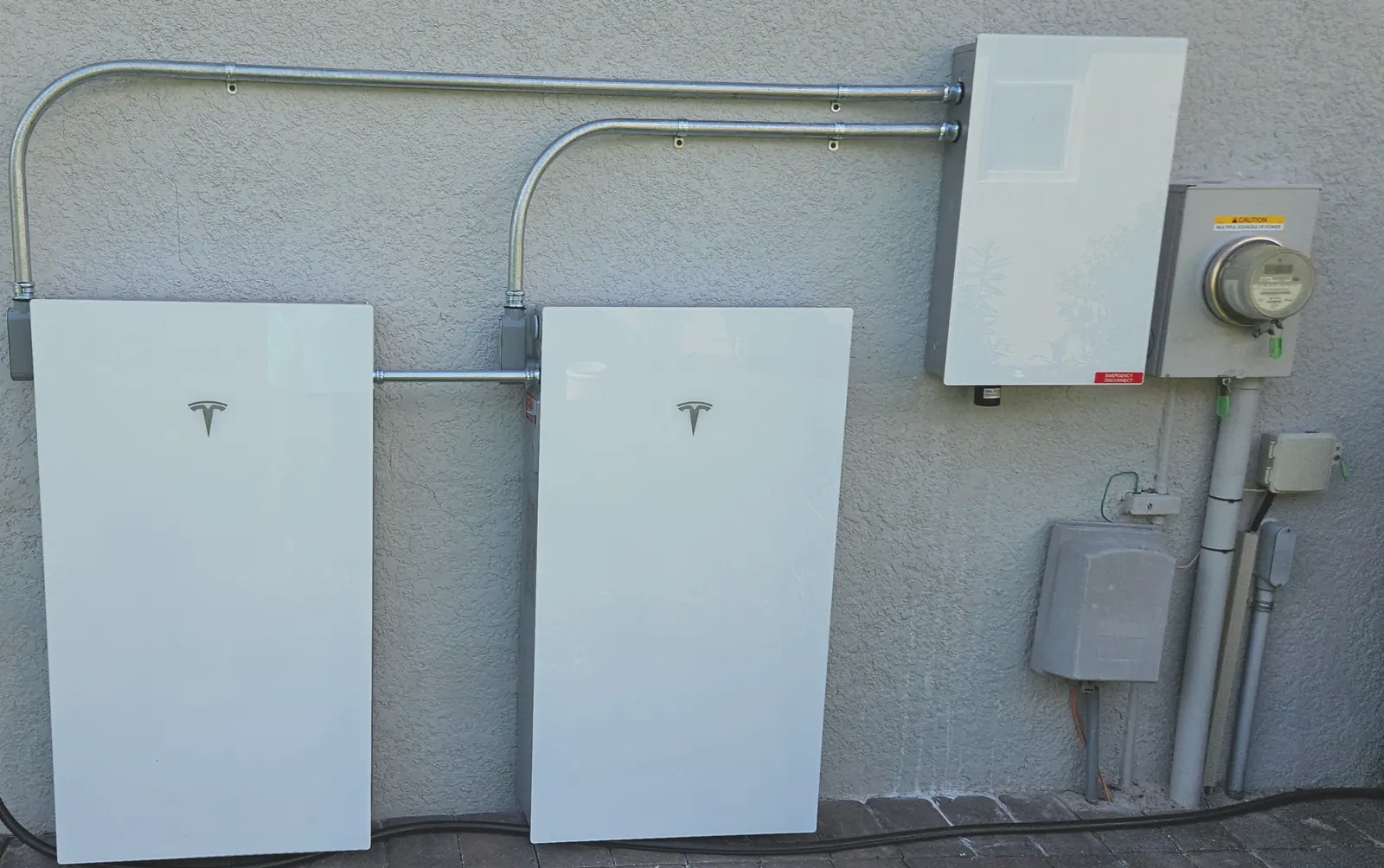
- A Powerwall 3. For Model 3 and Model Y, Powershare Home Backup works with Powerwall 3 today. For Powerwall 2 and Powerwall+, that capability is planned, but Tesla has not said when.
- A Wall Connector or Universal Wall Connector. You plug the car in here. When the grid goes down, the car extends the backup your Powerwall is already giving the house.
- Tesla turns it on. If you already have a Powerwall 3 and a Wall Connector, Tesla says you do not need extra hardware, but you do need to contact Tesla support to get it turned on.
No Powerwall? Then home backup from a Model 3 or Model Y is not an option yet. If you already own a Cybertruck, the Powershare Gateway setup still works without a Powerwall, and we install and support it.
How Much Backup to Expect
These are Tesla’s numbers, as reported by Electrek:
- Model 3 and Model Y: “over two days” of backup for a home that uses 30 kWh a day, starting from a 90% charge.
- Standard trims: “up to two days.”
- Cybertruck: more than three days.
- Output: up to 11.52 kW continuous with the Powerwall setup.
Your number depends on what your home uses and what you keep running. AC, a pool pump or an electric dryer can change it a lot. Picking what stays on is part of planning any backup.
About Two Days of Backup From Your Car
Tesla says a Model 3 or Model Y adds over two days for a home using 30 kWh a day, with a Powerwall 3.
The Limits Worth Knowing
- Powerwall 3 is required for now for Model 3 and Model Y. For Powerwall 2 and Powerwall+: Compatibility is planned, but Tesla has not said when.
- No Powerwall means no home backup for Model 3 and Model Y. If you already own a Cybertruck, the Powershare Gateway setup still works without a Powerwall, and we install and support it.
- No selling power back to the grid. Tesla says Grid Support is “not available for Model 3 or Model Y.”
- Model S and Model X are not included.
- US and Puerto Rico only.
- Older cars vary. Check the touchscreen before you plan around Powershare.
How Gulfstar Can Help
We are Gulfstar Electric in Clearwater, license EC13007765 and a Tesla Certified Installer. We work across Pinellas, Pasco, Hillsborough, Manatee, Sarasota and Polk counties, plus Lakeland. Here is where we fit.
- A look at your setup. Tell us what you drive and what you already have at home. We can check your panel, your Wall Connector and your backup equipment and tell you what is there.
- Wall Connector and panel work. If you need a Wall Connector or Universal Wall Connector installed, or the panel needs work first, that is work we do.
- No Powerwall yet? If you already own a Cybertruck, the Powershare Gateway setup still works without a Powerwall, and we install and support it. For new Model 3 and Model Y setups, Powershare with Powerwall 3 is the path forward. We can talk through backup options for your house and what your panel would need.
- Turning it on. Tesla says owners contact Tesla support to switch Powershare on. We can help you confirm your equipment before you make that call.
Once we’ve seen the house, we’ll walk you through the investment. Storm season on your mind? Read our hurricane-season tips for your charging setup. Curious how it started with Cybertruck? See Inside Tesla vehicle-to-home (V2H) technology.
Not Sure If Your Car Has It?
On the touchscreen, go to Software, then Additional Vehicle Information, and look for Powershare Support.
FAQ
Can My Tesla Model 3 or Model Y Power My House During an Outage?
Yes, Powershare with Powerwall 3 works with Model 3 and Model Y, 2026 model year and newer, when your home has a Powerwall 3 with a Wall Connector or Universal Wall Connector. Some older cars may have it too; the surest check is the car’s touchscreen.
How Do I Check If My Model 3 or Model Y Has Powershare?
On the touchscreen, go to Software, then Additional Vehicle Information. If Powershare Support shows as enabled, your car has Powershare. On older cars, Powershare support depends on an inverter part Tesla calls PCS2 Lite.
Do I Need a Powerwall for Model 3 or Model Y Powershare?
Yes, for now Model 3 and Model Y Powershare takes a Powerwall 3. For Powerwall 2 and Powerwall+, compatibility is planned, but Tesla has not said when. If you already own a Cybertruck, the Powershare Gateway setup still works without a Powerwall, and we install and support it.
How Long Can a Model 3 or Model Y Back Up My Home?
Tesla says over two days for a home that uses 30 kWh a day, starting from a 90% charge, and up to two days for Standard trims. Maximum continuous output is 11.52 kW with the Powerwall setup. Your own number depends on what your home runs during the outage.
I Already Have a Powerwall 3 and a Wall Connector. What Do I Do?
Tesla says you do not need extra hardware, but you do need to contact Tesla support to turn Powershare on. If you would like us to check your setup first, request service and tell us what you drive.
Can I Sell Power Back to the Grid With a Model 3 or Model Y?
No, Tesla says Grid Support is not available for Model 3 or Model Y.
Sources
- Fred Lambert, “Tesla Model 3 and Model Y can finally power your home,” Electrek, October 6, 2026.
- Tesla Energy, announcement on X (@teslaenergy), October 6, 2026.
- Tesla, Powershare. Details above are as quoted by Electrek on October 6, 2026. Tesla may update its page.