Getting error messages from your Tesla? Often a quick hard reset fixes it (steps below). We’ll also cover the “Sentry System Error,” a common bug that’s usually an easy fix.
Tesla Sentry System Error: How to Fix
The most common error message for this issue is: “Sentry mode has turned off due to a sentry system error.” Before you call for a service appointment, try these steps first:
- Put the car in PARK.
- Navigate to your Settings on the vehicle screen. Find your Controls > Safety > Sentry Mode and turn this OFF.
- Hold down the two scroll wheels on the steering wheel until your screen goes black, and release. You will see a white Tesla logo pop up on the black screen as your car reboots.
- Navigate back to your Sentry Mode in the Settings, and turn this ON.
This should fix the issue. If the error does not clear, navigate to the Service section of your Tesla App and request an appointment to address this further. To learn more about Sentry Mode in all Tesla vehicles, watch Tesla’s Sentry Mode video.
Error Still There After the Reset?
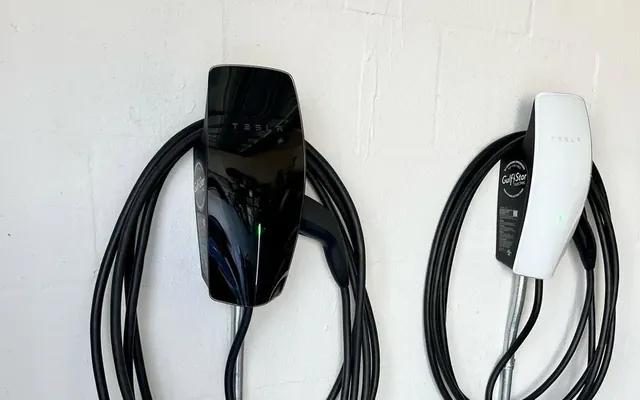
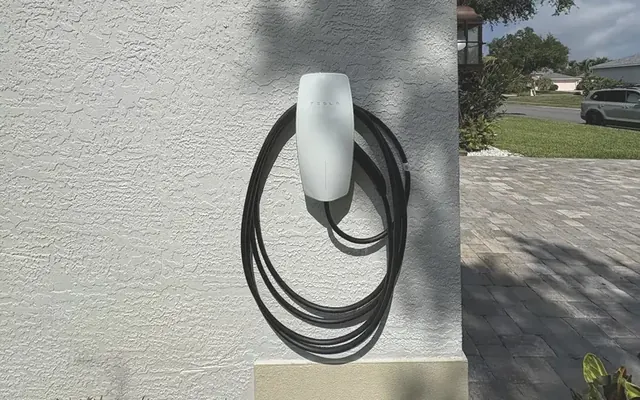
Tesla service is the right next call for the car. Planning a Wall Connector or Level 2 charger at home? That part we can help with.
How to Restart Your Tesla Screen
If your Tesla screen is frozen or your navigation or apps are unresponsive in any way, it may be time to restart the screen. The below steps apply to all models of Tesla: S, 3, X, Y and Cybertruck.
- Put the car in PARK.
- Hold down the two scroll wheels on the steering wheel until your screen goes black, and release.
This doesn’t turn off the car. You can technically do it in drive, but it’s safer pulled over. Power cycling (turning the car off) is different and may be needed too.
How to Turn Off Your Tesla
To turn off your Tesla, navigate to your touchscreen and find Controls > Safety > Power Off.
Power cycling? Wait 2 minutes without opening a door or touching the screen or brake. Any of those wakes the car back up.
For more helpful tips, be sure to check out Tesla’s DIY tips and Tesla Tutorials!
Need a Hand With Home Charging?
If the reset steps above do not clear the error, Tesla service is the right next call for the car. If you are also planning a Wall Connector or Level 2 install at home, start with our home EV charging installation page, or request service and we will follow up. Cybertruck owners can also ask us about Powershare home backup.